ManoStock
Stock, orders, invoices, expenses and a point-of-sale till for small shops. It grew an Android barcode scanner and a small program that drives a receipt printer.
- Role
- Design, backend, Android app, print agent
- Platform
- Web app, Android app and a local print agent
Overview
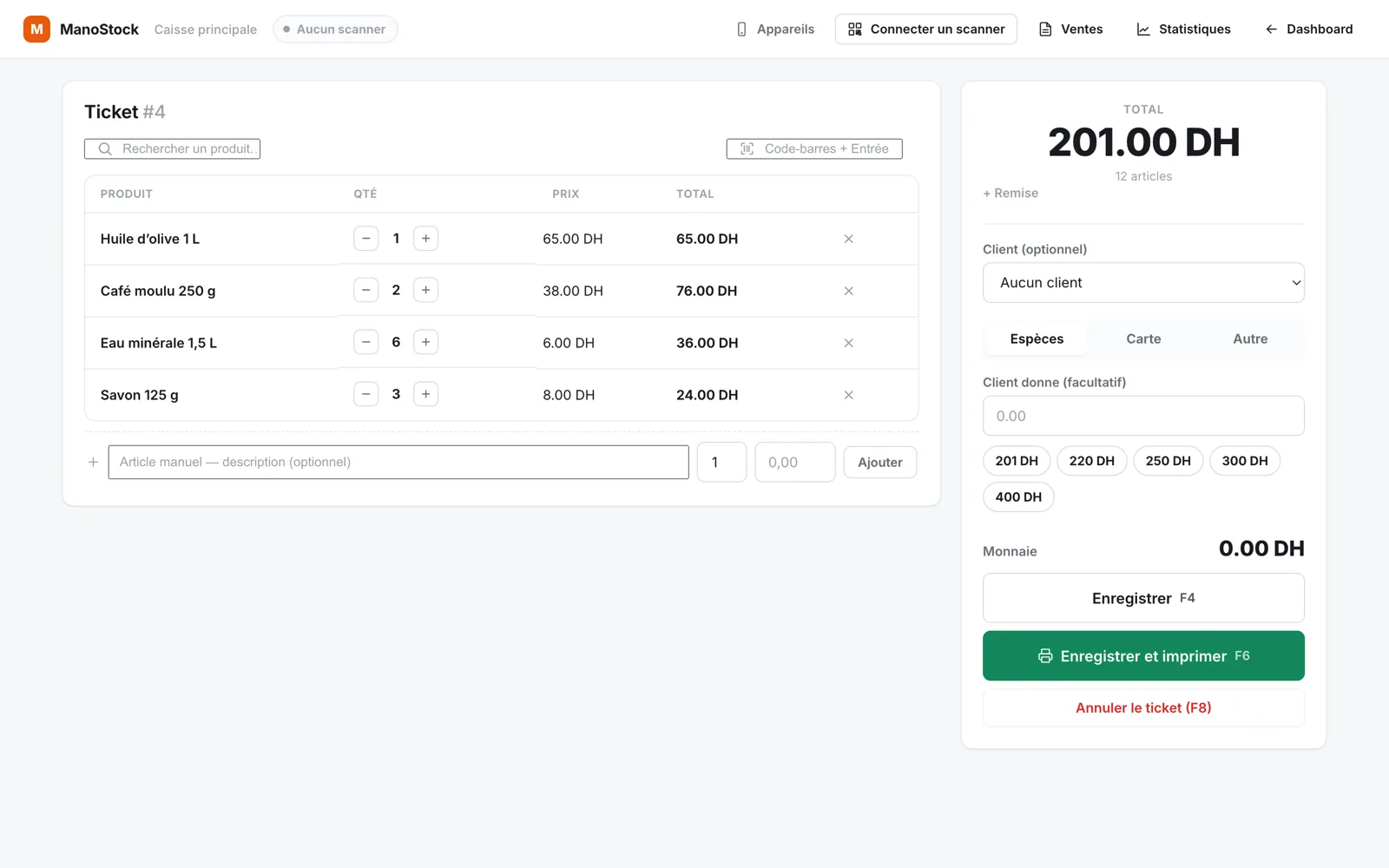
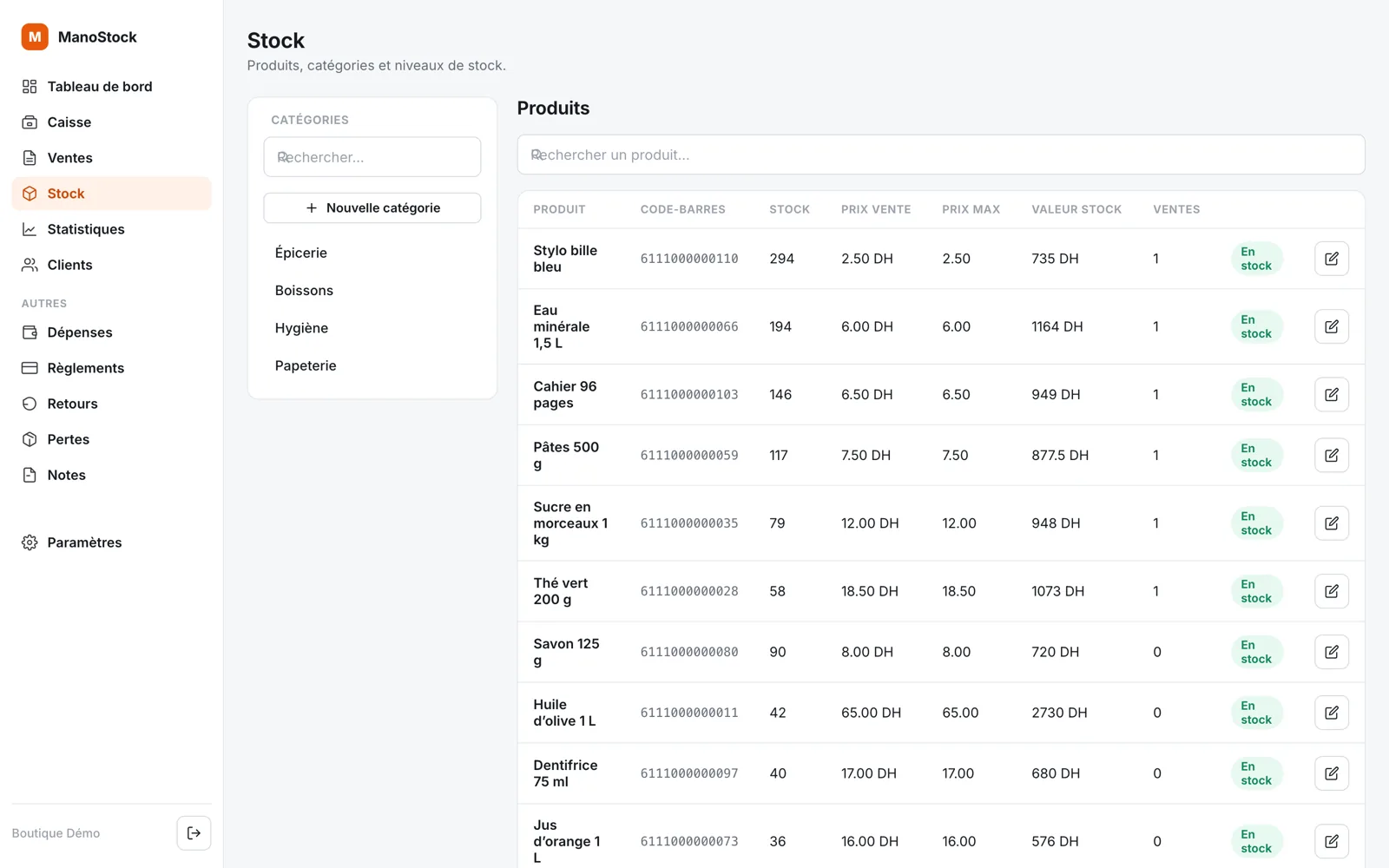
ManoStock started as a web app for the paperwork of a small business: inventory, orders, clients, invoices and expenses. Later it gained a proper point-of-sale till, and the till needed two things a browser can’t do well on its own — scan barcodes quickly and print receipts silently.
Those became two small companion programs, each doing one job while the Django server stays the source of truth.
How it fits together
Web tillPolls the current ticket every 5 seconds over plain HTTP. No WebSockets.Android scannerPairs by scanning a QR code on the till, then posts each barcode it reads.Django serverDecides whether a scan fills a pending product form or lands on the open ticket.Print agentReceives one JSON message per receipt on 127.0.0.1 and prints it over ESC/POS.
Screens
Engineering notes
A phone as a scanner
The Android app is written in Kotlin with Jetpack Compose. It scans on-device with CameraX and ML Kit (EAN‑13, EAN‑8, UPC, Code 128, Code 39), talks to the server with Retrofit, and keeps its session token in EncryptedSharedPreferences backed by the Android Keystore.
No typing the server address
The pairing QR code on the till encodes a full URL. The app extracts both the server origin and a one-time token from it, so pairing a phone never involves typing a hostname.
Scans that can be retried
Every scan carries a client-generated UUID. On a flaky shop Wi-Fi connection the app can retry a request freely: the server recognises the id, and the product is never added to the ticket twice.
Printing from the cloud to a USB port
A server on Heroku can’t reach a printer on a shop’s local network. The print agent runs on the till’s computer, listens only on 127.0.0.1 so nothing else on the network can reach it, and translates each receipt into ESC/POS commands. Plain browser printing remains available for shops that don’t want to install anything.
Stack
- Backend
- Python, Django, PostgreSQL
- Android
- Kotlin, Jetpack Compose, CameraX, ML Kit, Retrofit, OkHttp
- Print agent
- Python, ESC/POS
- Hosting
- Heroku